Dashboard
Total API Connections
-
Registered MCP Tools
-
Total Requests (24h)
-
Avg Latency
-
Operational Status & Downstream Connectivity
Real-time status of active LLM clients and downstream connected API microservices.
Active Gateway Metrics
https://gateway.local/sse?token=••••
Downstream API Health
| API Connection | Endpoint URL | Status | Ping RTT |
|---|---|---|---|
| Loading connection health... | |||
Manage APIs
Expose Endpoints as MCP Tools
| Tool Name | API Source | HTTP Route | Method | Description | Actions |
|---|
Client Access Tokens
Issue client tokens to restrict access to specific APIs based on custom scopes (e.g. stripe_*, weather_*) and roles.
| Client Name | Token Value | Role | Scopes (Globs) | Status | Actions |
|---|
OpenTelemetry Real-Time Performance Dashboard
Live traffic metrics, execution latencies, error traces, and Prometheus-formatted telemetry scraped directly from the active exporter stream.
Success Rate
-%
P95 Latency
-ms
Total Scraped Metrics
-
Execution Latency Profile (Last 20 calls)
Tool Call Frequency Distribution
System Execution & Audit Logs
| Timestamp | Identity Source | Tool Name | Status | Duration | Errors |
|---|
System Settings & Environments
Configuration settings are loaded dynamically at launch from environment variables or K8s config states.
Active Configuration Settings
How to Configure Vault Providers
Specify the provider using the VAULT_PROVIDER environment variable:
1. Local File Vault (Default / Air-Gapped)
Stores keys encrypted at rest in a local file. Ideal for air-gapped systems or offline developers.
VAULT_PROVIDER=localVAULT_LOCAL_PATH=/app/data/secrets.json
2. AWS Secrets Manager
Fetches secrets from AWS Secrets Manager. Authenticates using standard IAM roles (IRSA in EKS or instance profiles).
VAULT_PROVIDER=aws
3. Google Cloud Secret Manager
Fetches secrets from GCP Secret Manager. Authenticates using Application Default Credentials (ADC) or GKE Workload Identity.
VAULT_PROVIDER=gcp
4. Azure Key Vault
Fetches secrets from Azure Key Vault. Authenticates using Managed Identities (AD Workload Identity).
VAULT_PROVIDER=azure
Security Vault Proxy Configuration
Register credentials, OAuth client secrets, or bearer tokens into your secure AWS Secrets Manager, Azure Key Vault, GCP Secret Manager, or Local Vault without saving plaintext strings.
Register Secret Reference
Secret References in Vault
These keys are active in the vault and can be referenced in connection configs. Values are redacted.
| Secret Reference Key | Actions |
|---|
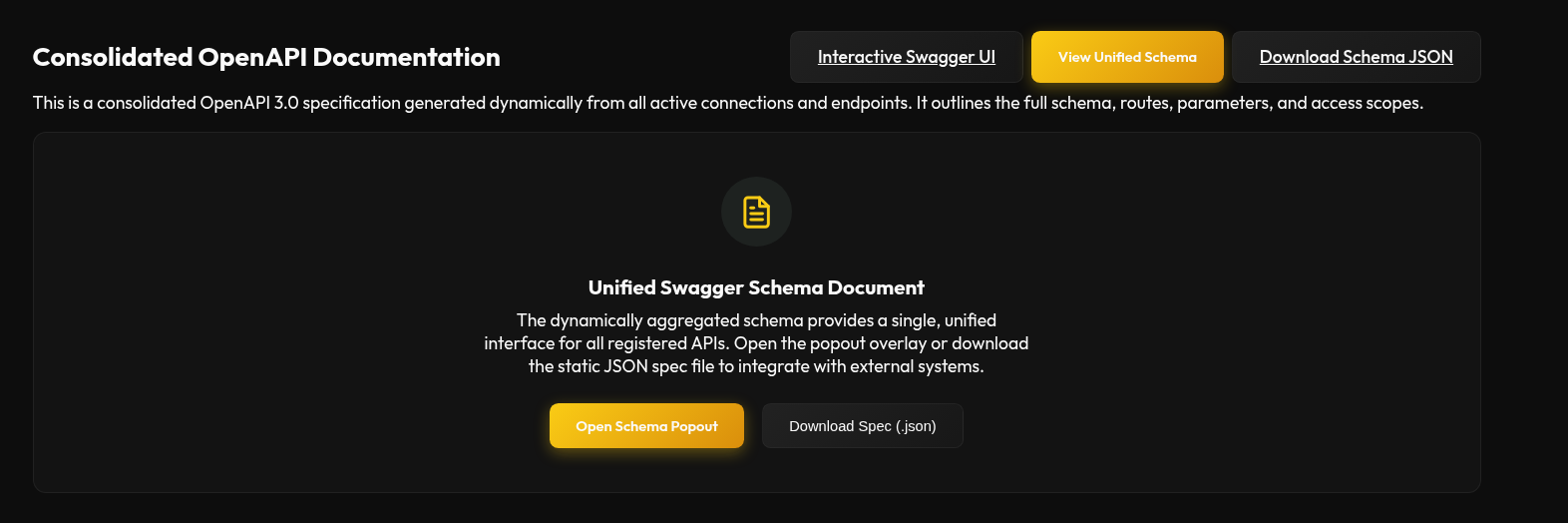
Consolidated OpenAPI Documentation
This is a consolidated OpenAPI 3.0 specification generated dynamically from all active connections and endpoints. It outlines the full schema, routes, parameters, and access scopes.
Unified Swagger Schema Document
The dynamically aggregated schema provides a single, unified interface for all registered APIs. Open the popout overlay or download the static JSON spec file to integrate with external systems.
Help & Technical Documentation
Detailed technical guidance on how to configure, manage, and use the MCP API Gateway and Portal.
Portal Dashboard Console Overview
The Web Portal console provides a centralized, secure control plane for checking component health, monitoring API traffic, managing client permissions, and tracking downstream connection telemetry.

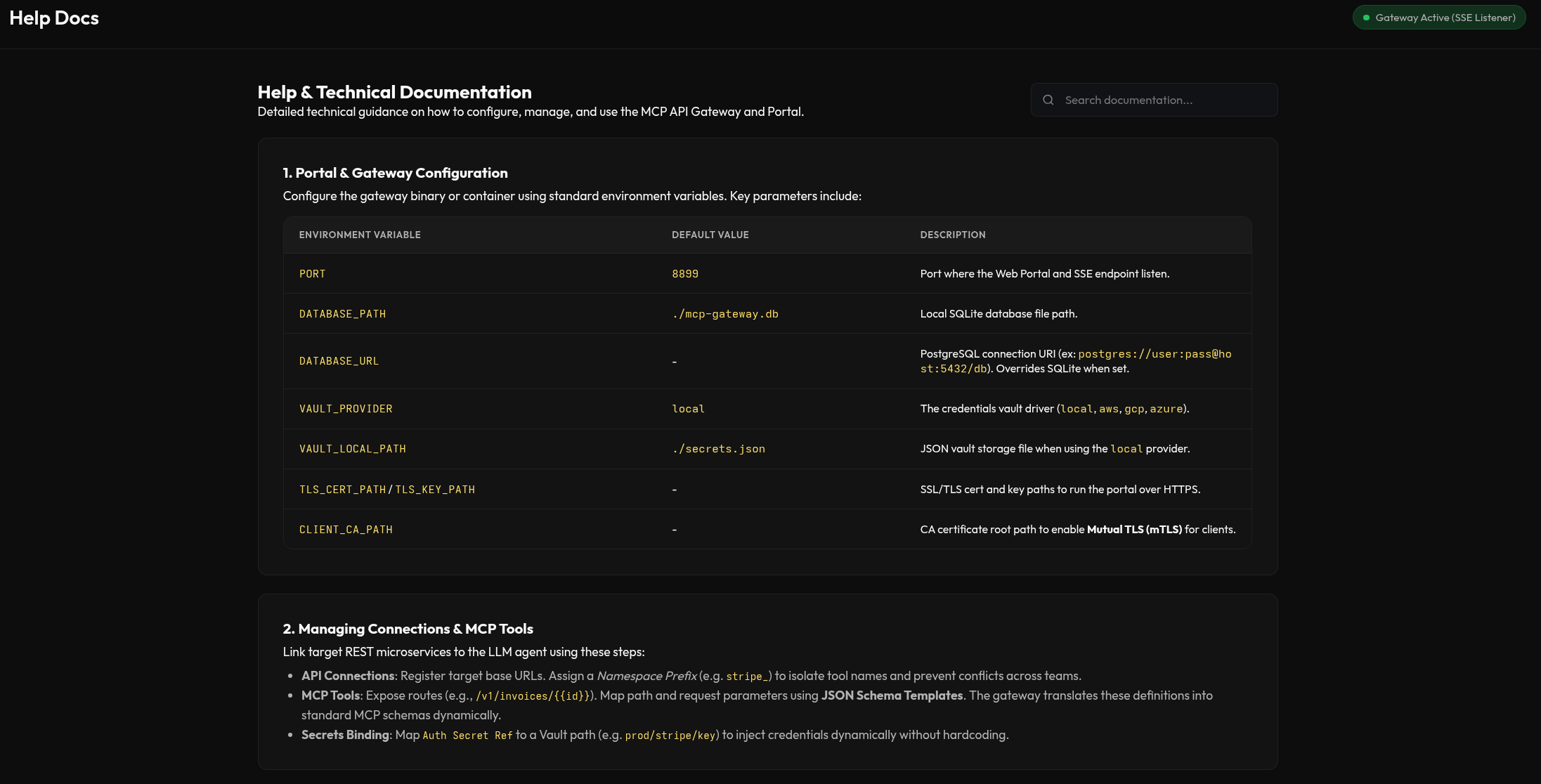
1. Portal & Gateway Configuration
Configure the gateway binary or container using standard environment variables. Key parameters include:
| Environment Variable | Default Value | Description |
|---|---|---|
PORT |
8899 |
Port where the Web Portal and SSE endpoint listen. |
DATABASE_PATH |
./mcp-gateway.db |
Local SQLite database file path. |
DATABASE_URL |
- | PostgreSQL connection URI (ex: postgres://user:pass@host:5432/db). Overrides SQLite when set. |
VAULT_PROVIDER |
local |
Credentials vault driver. local (file, single-node), postgres (AES-256-GCM encrypted in the shared DB — use this for multi-replica). aws/gcp/azure fail closed until implemented. |
VAULT_LOCAL_PATH |
./secrets.json |
JSON vault storage file when using the local provider. |
TLS_CERT_PATH / TLS_KEY_PATH |
- | SSL/TLS cert and key paths to run the portal over HTTPS. |
CLIENT_CA_PATH |
- | CA certificate root path to enable Mutual TLS (mTLS) for clients. |


2. Managing Connections & MCP Tools
Link target REST microservices to the LLM agent using these steps:
- API Connections: Register target base URLs. Assign a Namespace Prefix (e.g.
stripe_) to isolate tool names and prevent conflicts across teams. - MCP Tools: Expose routes (e.g.,
/v1/invoices/{{id}}). Map path and request parameters using JSON Schema Templates. The gateway translates these definitions into standard MCP schemas dynamically. - Secrets Binding: A connection stores only a reference (
Auth Secret Ref, e.g.prod/stripe/key), never the secret. Pick an Auth Type —none,bearer,basic(user:pass), orcustom_headers(JSON header map) — and the gateway resolves the value from the Vault and injects it at call time. The LLM never sees downstream credentials. Rotate the secret in the Vault and every tool using it updates instantly. - Scoped Client Tokens: Issue per-client bearer tokens restricted to tool-name globs (e.g.
lch_*,ustreasury_*) and a role. Tokens are hashed at rest and shown once at creation.


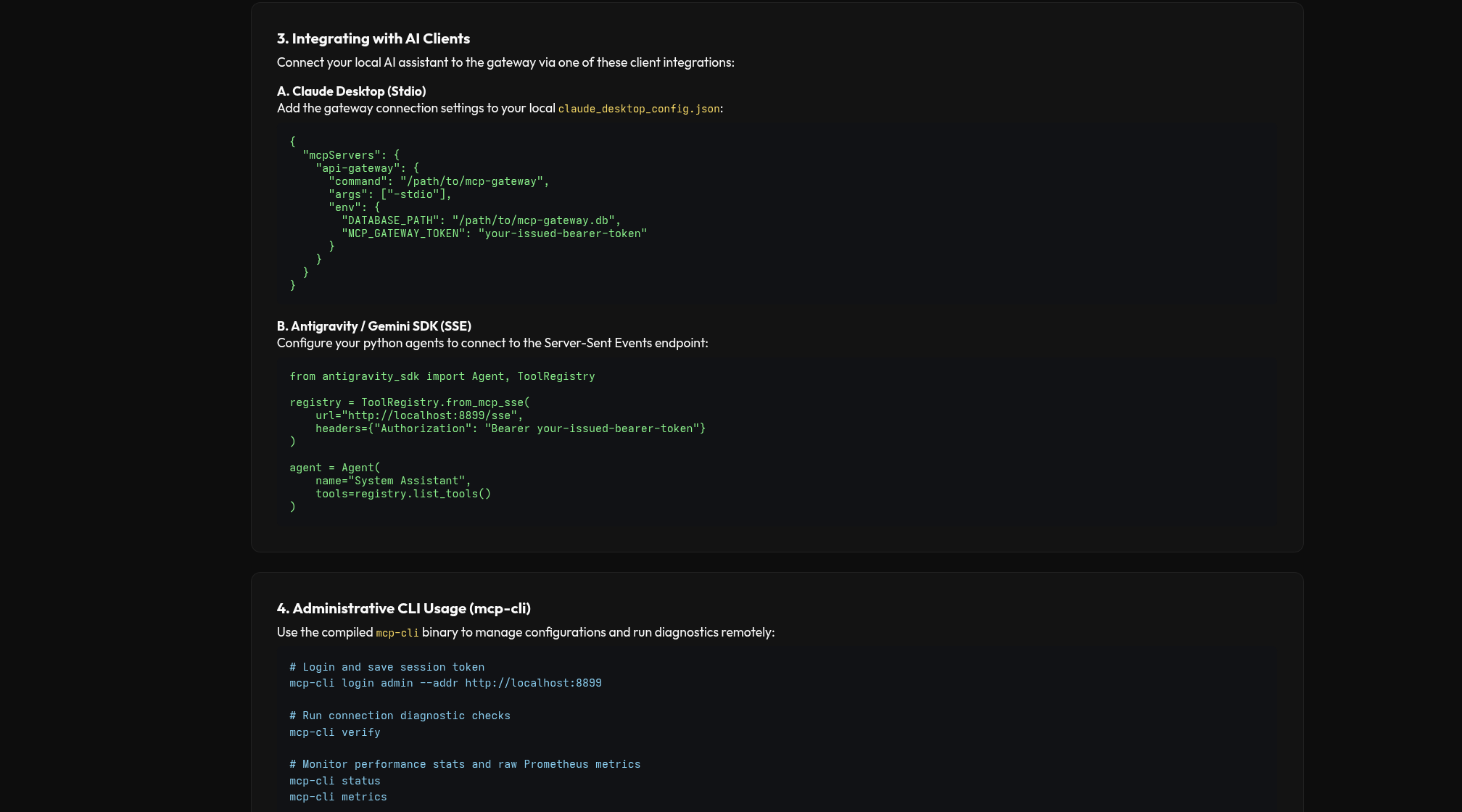
3. Integrating with AI Clients
Connect your AI assistant to the gateway. The deployed gateway speaks two HTTPS MCP transports — Streamable HTTP (recommended; stateless, scales across replicas) via POST /mcp, and the legacy HTTP+SSE via GET /sse + POST /messages. A local stdio mode is also available.
A. Claude Code / remote clients — Streamable HTTP (recommended)
Add a project .mcp.json pointing at the /mcp endpoint:
{
  "mcpServers": {
    "janus-gateway": {
      "type": "http",
      "url": "https://your-gateway-host/mcp",
      "headers": { "Authorization": "Bearer your-issued-bearer-token" }
    }
  }
}
B. Antigravity — Streamable HTTP
Register the server in the Antigravity app's MCP config (its own config file, not the project repo):
{
  "mcpServers": {
    "janus-gateway": {
      "serverUrl": "https://your-gateway-host/sse",
      "headers": { "Authorization": "Bearer your-issued-bearer-token" }
    }
  }
}
C. Claude Desktop (stdio, local binary)
For a local desktop binary, add to claude_desktop_config.json:
{
  "mcpServers": {
    "api-gateway": {
      "command": "/path/to/mcp-gateway",
      "args": ["-stdio"],
      "env": {
        "DATABASE_PATH": "/path/to/mcp-gateway.db",
        "MCP_GATEWAY_TOKEN": "your-issued-bearer-token"
      }
    }
  }
}
D. Antigravity / Gemini SDK (legacy SSE, Python)
Advanced: connect a Python agent to the legacy Server-Sent Events endpoint:
from antigravity_sdk import Agent, ToolRegistry

registry = ToolRegistry.from_mcp_sse(
    url="http://localhost:8899/sse",
    headers={"Authorization": "Bearer your-issued-bearer-token"}
)

agent = Agent(
    name="System Assistant",
    tools=registry.list_tools()
)


4. Administrative CLI Usage (mcp-cli) & Monitoring
Use the compiled mcp-cli binary to manage configurations and run diagnostics remotely:
# Login and save session token
mcp-cli login admin --addr http://localhost:8899

# Run connection diagnostic checks
mcp-cli verify

# Monitor performance stats and raw Prometheus metrics
mcp-cli status
mcp-cli metrics

# Manage secret mappings in the Vault
mcp-cli vault set --key prod/billing/api-key --val "Bearer xoxb-..."
mcp-cli vault list


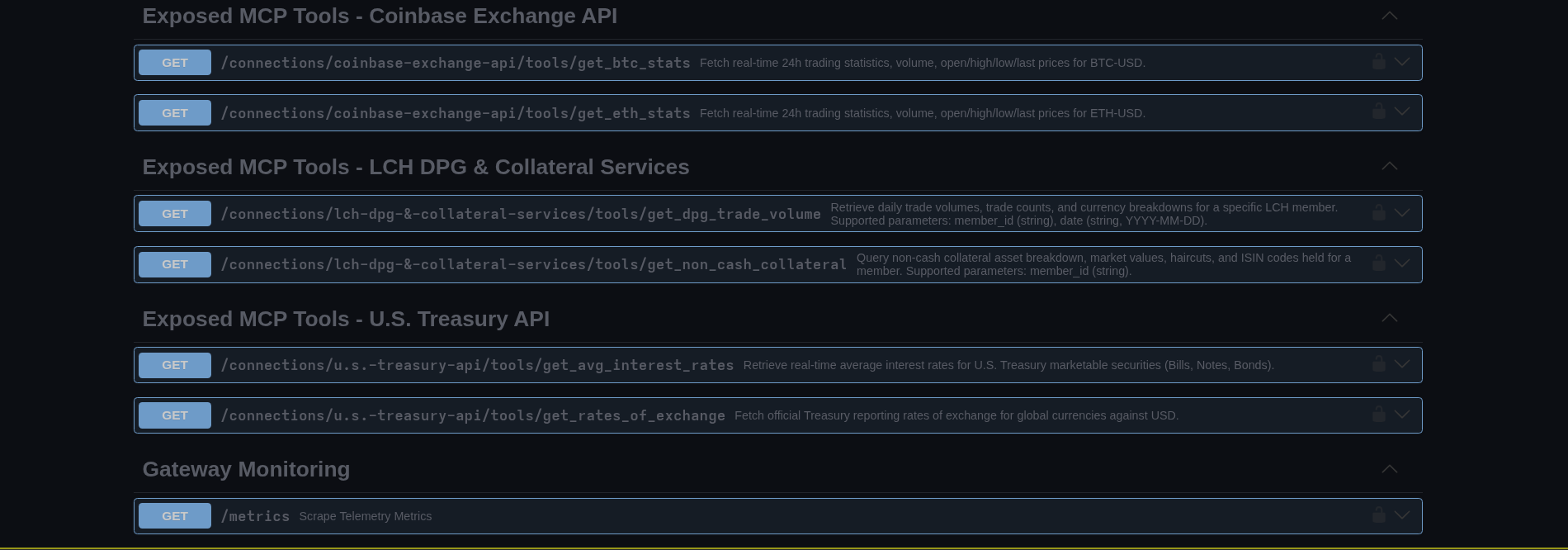
5. Interactive OpenAPI & Swagger Documentation
The gateway automatically aggregates all dynamic MCP tool routes into a single valid OpenAPI/Swagger schema. This allows external tools, developers, and LLMs to inspect the full available API surface.
Access the live Swagger UI from the Dashboard or by opening `/swagger.html` in your browser. You can copy the schema directly from the modal or download the JSON spec.

6. Running the Demos
Two ready-to-run demos exercise the gateway end-to-end, generating a Cross-Currency Collateral Valuation & Multi-Jurisdiction Rate Audit for LCH member MEM-LCH-002. The agent aggregates LCH collateral, U.S. Treasury rates, the Bank of England Bank Rate, ECB euro FX, and Eurostat inflation — all through the single governed gateway — and consolidates the multi-currency portfolio into a GBP reporting value.
just demo-claude— runs the demo through Claude Code (Streamable HTTP via.mcp.json).just demo-antigravity— runs the demo through Antigravity (agy), driven by thelch-collateral-reportingskill.
# from the repo root (needs the janus-gateway MCP client configured)
just demo-claude
just demo-antigravity

# override the client token used by the demo:
JANUS_GATEWAY_TOKEN=<token> just demo-claude
Full instructions and a sample generated report are in the project README.md and on the documentation site.